
As you all know, GST stands for Goods and Services Tax. It is an indirect tax imposed on the supply of goods and services in India. The GST system was introduced to bring various indirect taxes across the country under a single tax structure, making the taxation process more streamlined and unified.
If you are starting a new business or service-based enterprise, it is important to know whether GST Registration is required for your business. In this article, we will understand in a simple way how to apply for GST Registration, the documents required, the registration process, and how to obtain a GST Certificate.
Advantages and Disadvantages of Getting a GST Number Quickly
Advantages
- There is a higher possibility of receiving the GST Number immediately or within 24 hours.
- Once the GST Number registration is completed, you can start your business operations without delay.
- You do not need to visit Income Tax offices or depend on tax consultants for the registration process.
- You can easily check the status of your online application at any time.
- You can apply for GST Registration online free of cost without any hassle.
Disadvantages
- .Since this registration is carried out under Rule 14A, your taxable turnover must be within the limit of ₹2.5 lakh.
- If your business does not meet the conditions specified under Rule 14A, you will not be able to use this registration method.
- Even after obtaining GST Registration through this process, you must continue to follow all applicable GST rules and compliance requirements.



Documents Required for GST Registration
PAN CardAadhaar CardMobile Number and Email IDProof of Business Address
- Electricity Bill / Property Tax Receipt / Other valid address proof documents
Bank Account Details — If applicable Photograph of the Business OwnerDocuments related to Business Constitution
- Proprietorship
- Partnership Deed
- Company Incorporation Certificate, etc.
Documents related to Authorized Signatory — If applicable Digital Signature Certificate (DSC) — May be required for certain types of business constitutions.
How to Apply for GST Registration?
- First, visit the official GST portal.
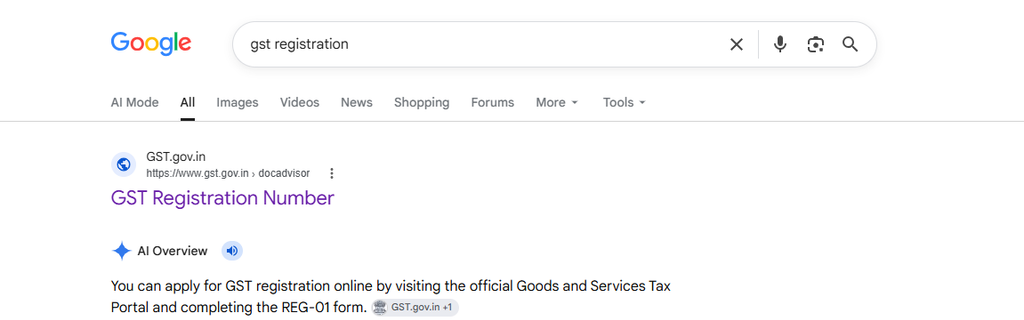
2. Then, click on the “Home” menu..
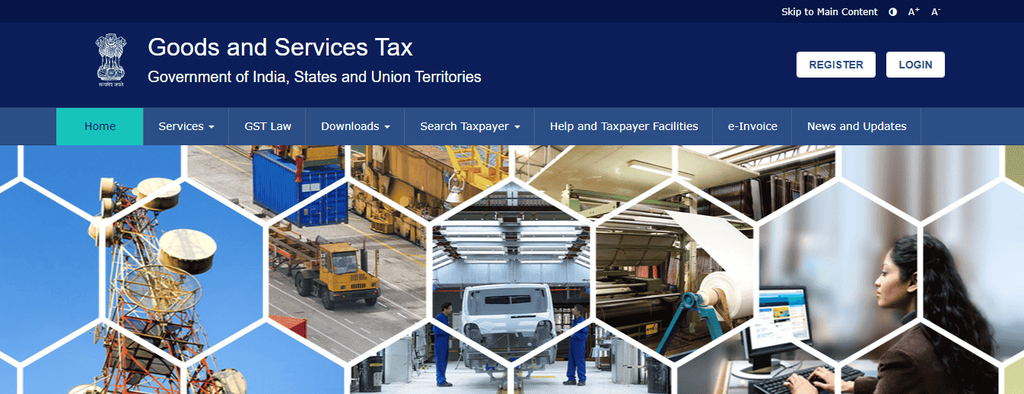
3. Click on the “Register” option.
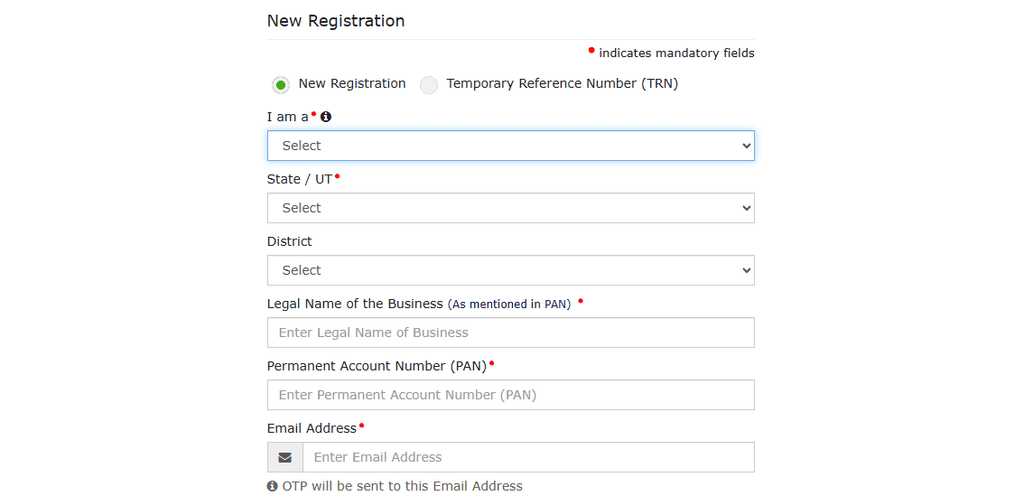
After selecting “New Registration,” choose the “Taxpayer” option. Then, enter your PAN details, State, District, Email Address, and Mobile Number.
4. An OTP will be sent to your registered mobile number and email address. Enter the OTP in the respective OTP fields and then click on the “Proceed” button.
5. After that, a TRN (Temporary Reference Number) will be generated.
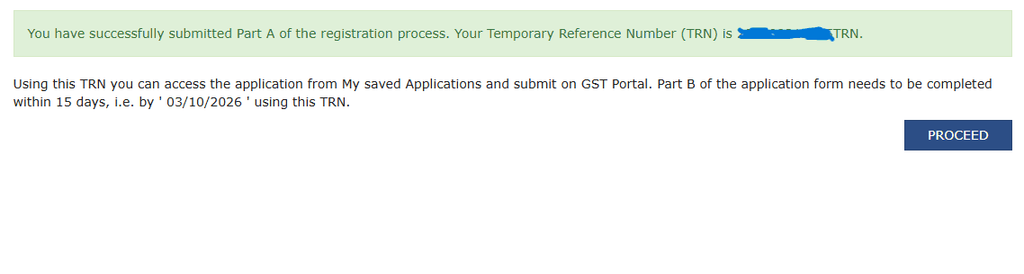
The TRN number will be valid for 15 days. Therefore, you must complete the registration process within this period.
6. Then, under the “New Registration” option, enter your TRN number and Captcha code, and click on the “Proceed” button.
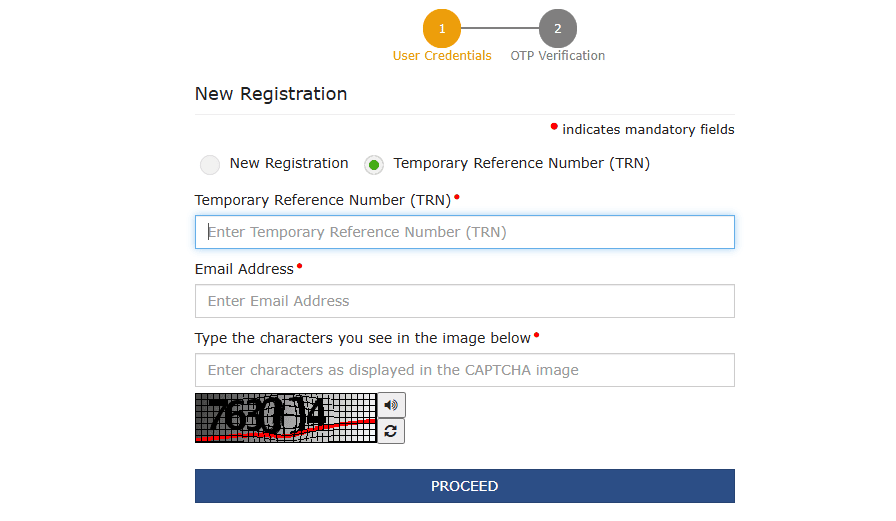
Then, enter the OTP and click on the “Proceed” button.
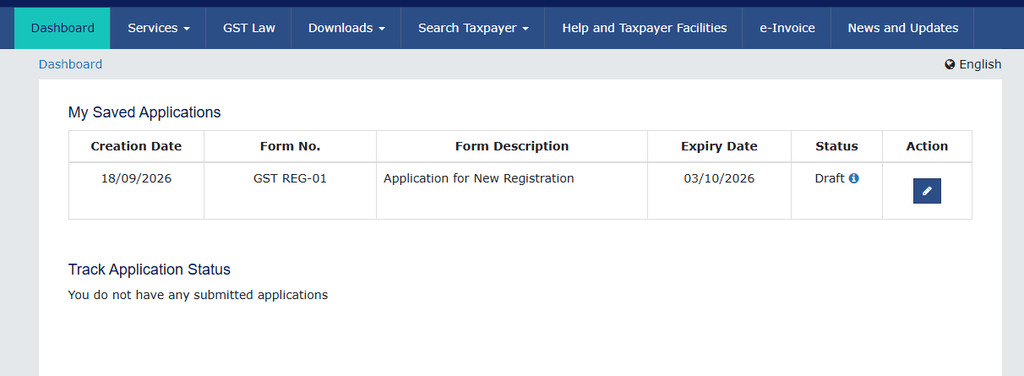
7. In the next step, you can see that your application has been saved. Then, click on the “Action” icon.
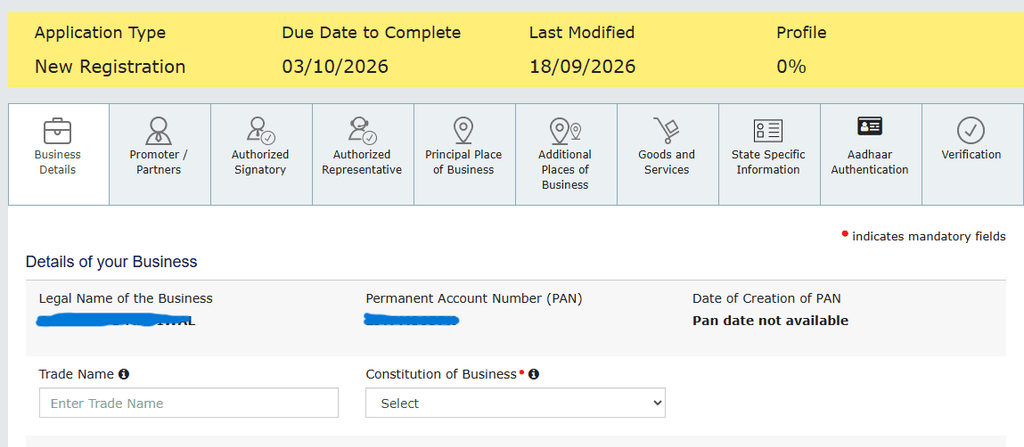
8. Then, enter your Trade Name (Business Name) in the “Business Details” section. After that, select “Yes” under the Rule 14A option.
9. Under “Reason for Registration,” select the option according to your eligibility. Generally, you can choose the “Voluntary Basis” option.
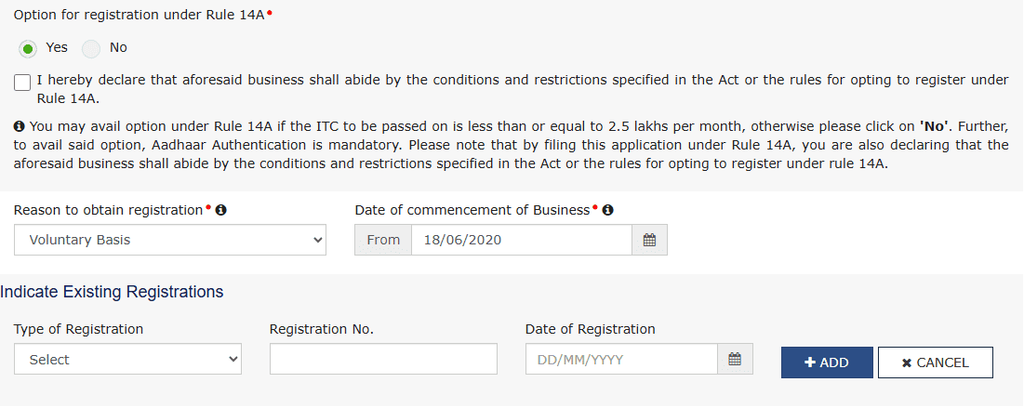
10. Then, enter the “Date of Commencement of Business” (the date on which your business started).
11. Under the “Indicate Existing Registration” option, if you do not have any existing registration details to provide, you can leave it blank.
12. Then, enter the personal details of the Proprietor (Owner).
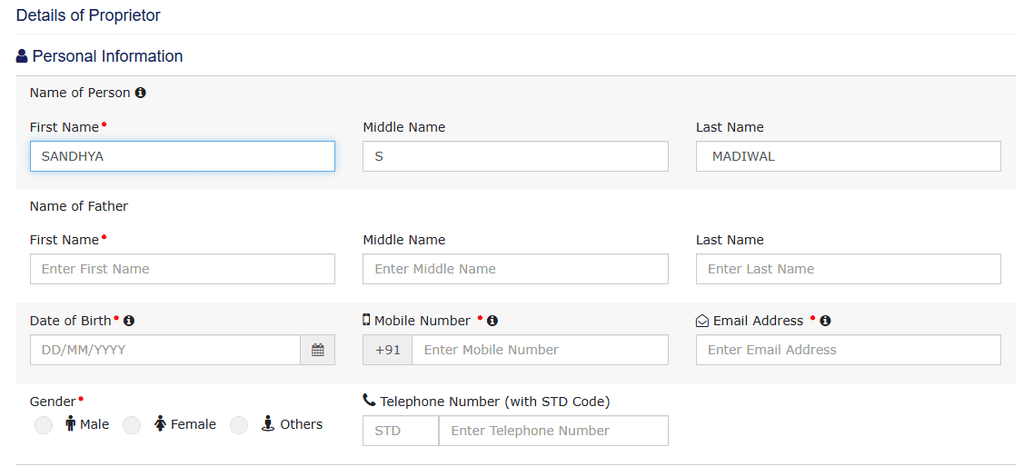
13. Then, select the “Take a Picture” option to upload your photo or upload your passport-size photograph.
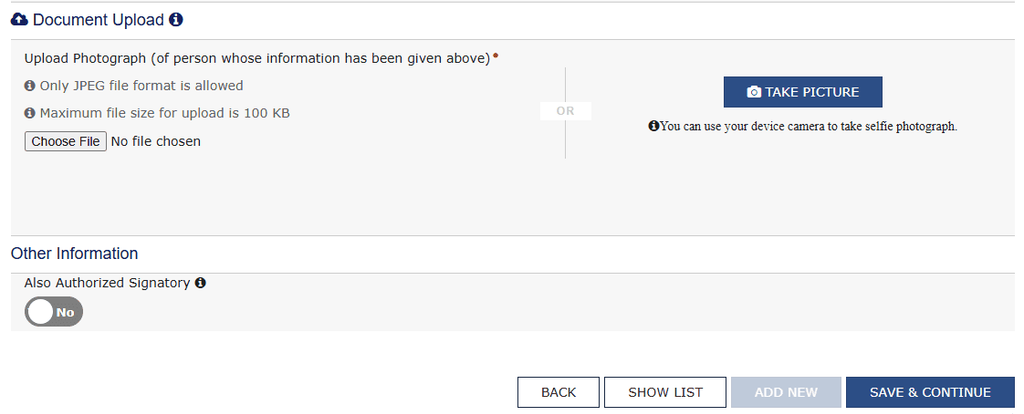
The uploaded photograph should be within 100 KB and in JPEG format. Then, make sure to select the “Authorized Signatory” option.
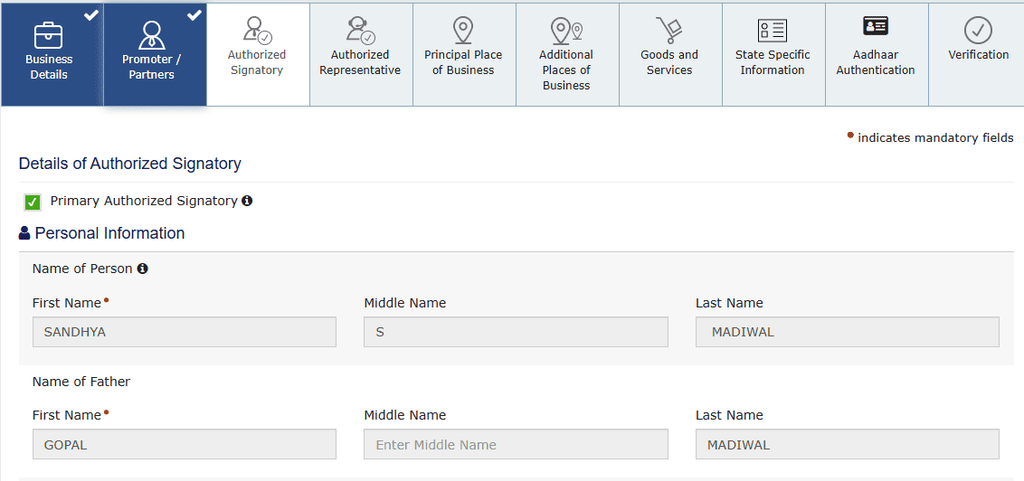
14. After selecting the “Primary Authorized Signatory” option, the details of the Promoter entered earlier will be automatically filled in.
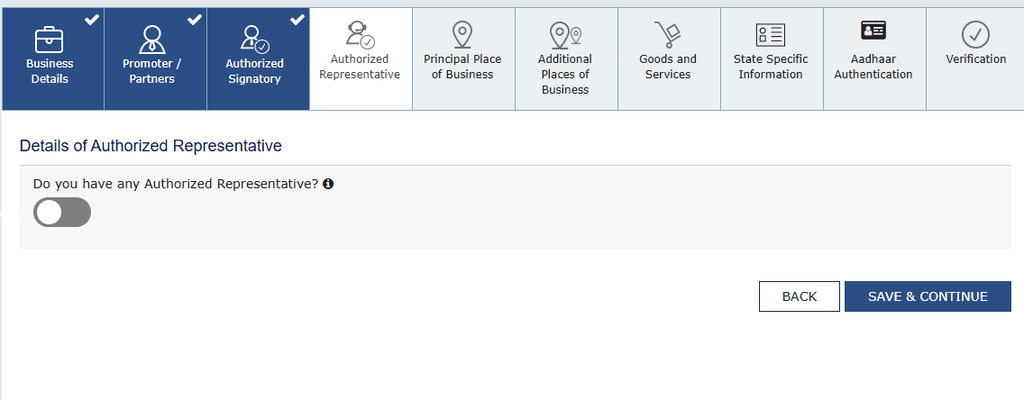
15. The “Details of Authorized Representative” section does not apply to those who have selected “Proprietorship.” Therefore, you can proceed without entering any details in this section.
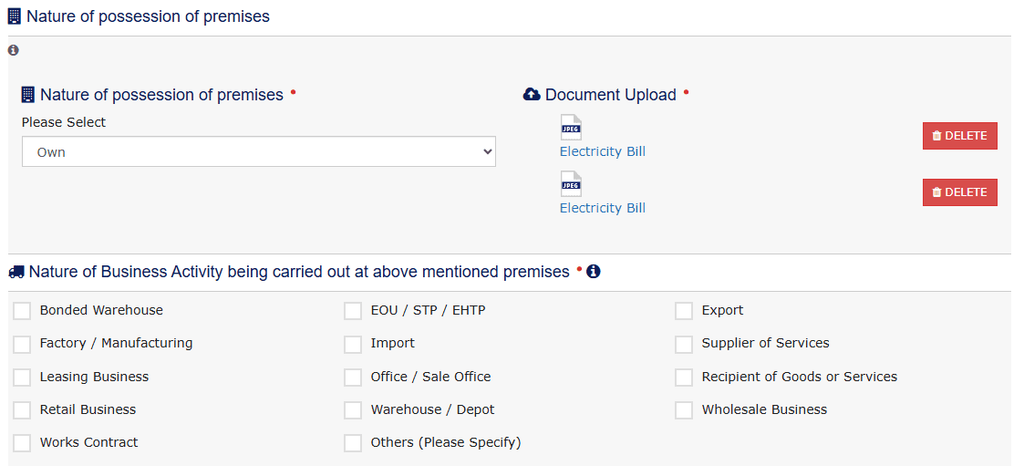
16. Then, you will reach the “Principal Place of Business” section. Here, you need to select and submit the documents related to your business premises. Based on the documents available to you, choose the appropriate documents, such as a Rent Agreement, Electricity Bill, etc., and enter the required details.
17. Then, in the “Goods and Services” section, enter the category name or HSN/SAC code related to your business.
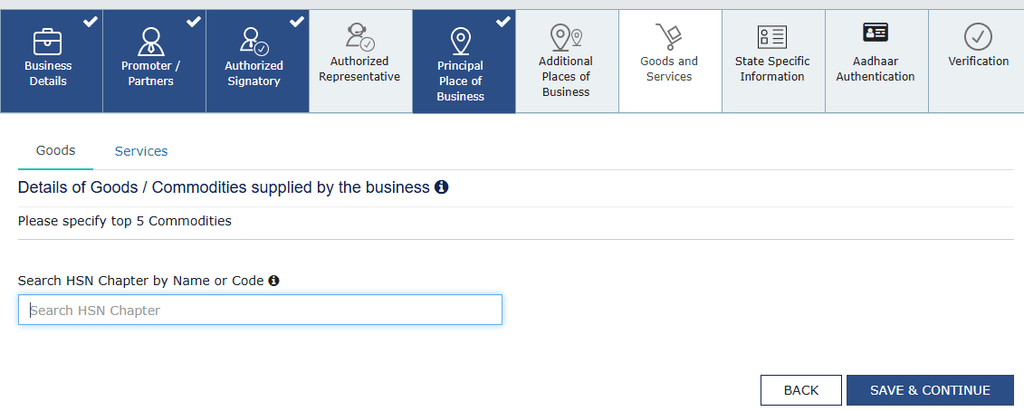
18. If the “State Specific Information” section is not required, you can skip it and proceed to the next step.
19. Then, click on “Aadhaar Authentication.” After that, select the “Submit with EVC” option.
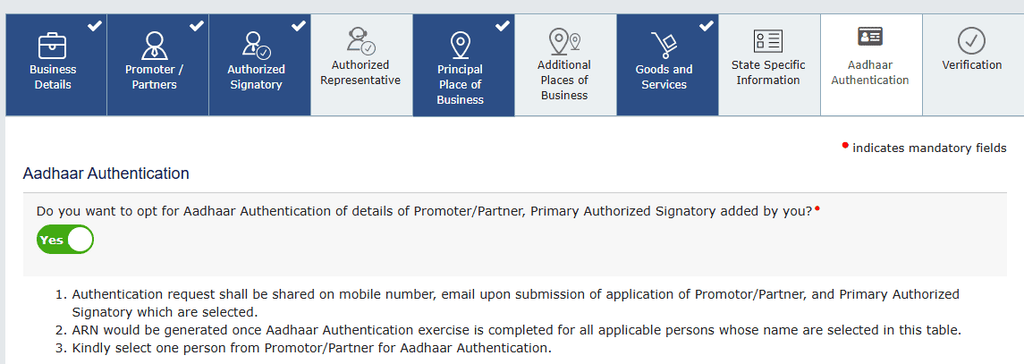
20. At the same time, an EVC code will be sent to your mobile number in the form of an OTP. After entering the EVC code, the ARN (Application Reference Number) process will proceed.
21. Finally, you will receive an email or notification regarding the completion of your Aadhaar Authentication. Follow the instructions provided and complete the Aadhaar Authentication process.
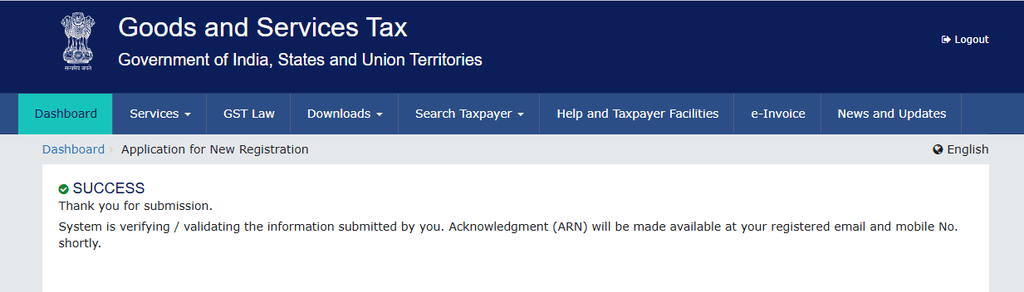
22. After some time, you will receive your GST Number (GSTIN) through email and SMS on your registered mobile number.
How to Get a GST Number Without Using Rule 14A?
If you disable the Rule 14A option and want to obtain a GST Number through the regular process, your application will be submitted directly. After that, you need to complete the Aadhaar Authentication process.
After that, your application will be sent to the Income Tax Department for verification. If required, they may conduct verification through a phone call or biometric authentication.
Special Note:
After obtaining a GST Number, you must strictly follow all GST Compliance requirements. For example, you should maintain proper records of monthly transaction details and invoice information, and file the required GST Returns on time.
If you fail to comply with the rules, you may face actions such as Late Fees and Notices from the authorities.
Read more: Yakshagana Artist Vidyadhar Rao Jalavalli Nears His Golden Jubilee Milestone